Modifying a diffusion model to generate Minecraft-like images
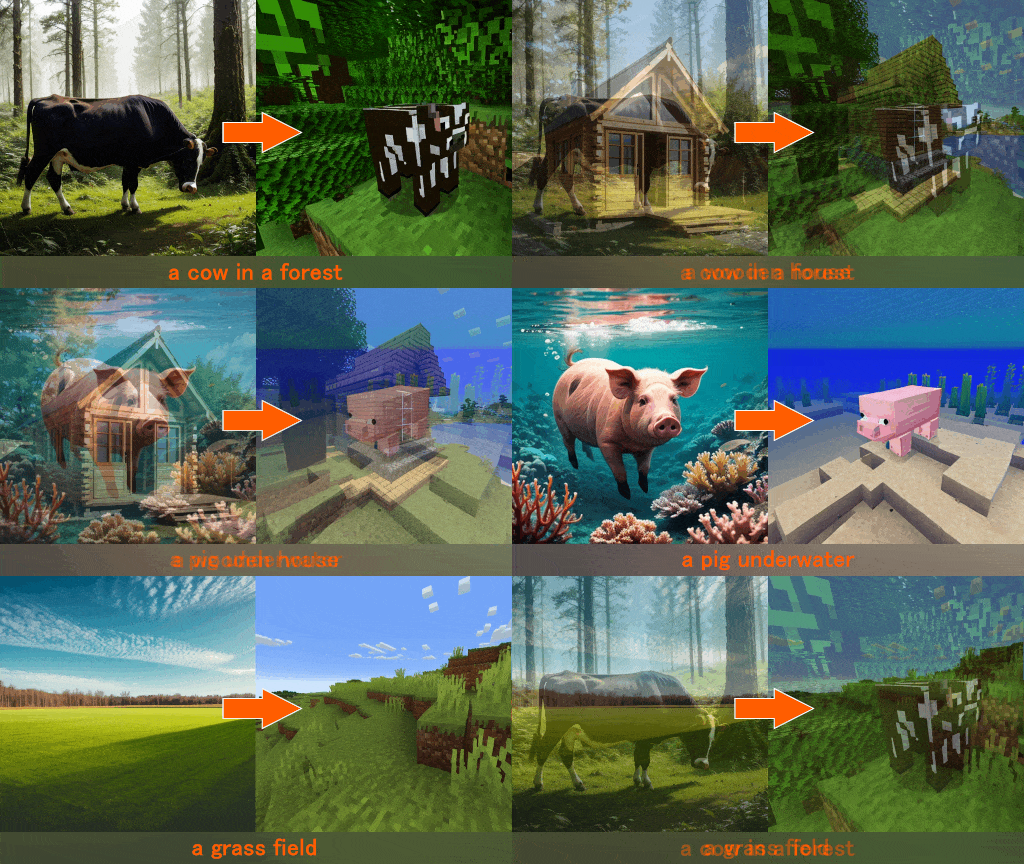
I trained a LoRA with 156 screenshots from the game Minecraft, and used it to modify an AI model output.
Here are some examples of the provided images from Minecraft and their label for the training.
Note that these are screenshots from the game, and they are NOT the generated images:
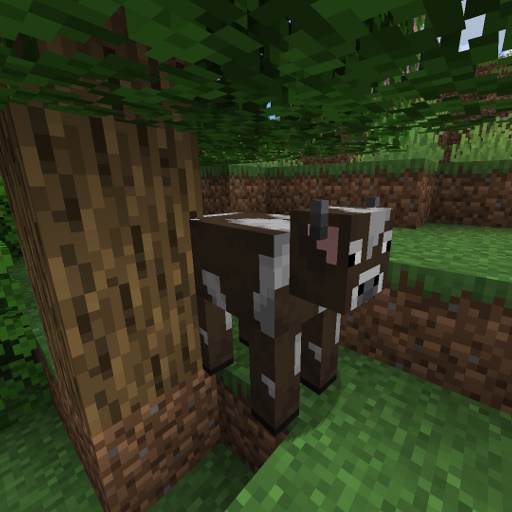
a cow in a forest, grass, oak trees
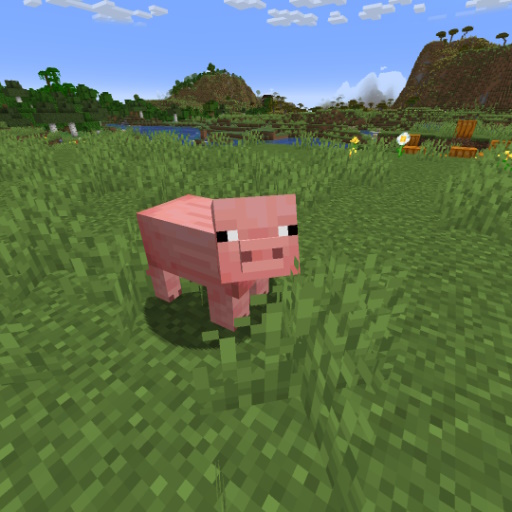
a pig in a grass field, pumpkin and mountains in the background, blue sky
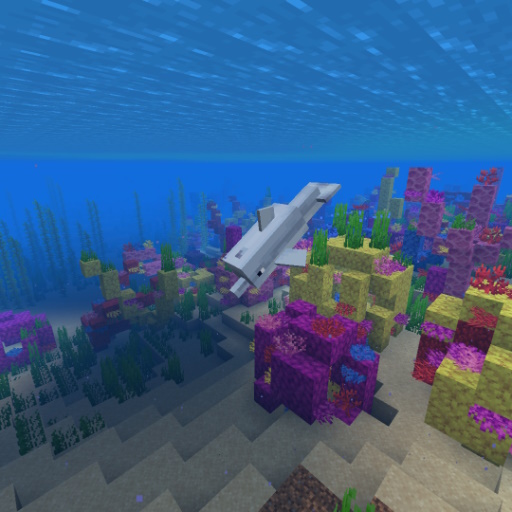
underwater coral reef, yellow and purple corals, dolphin swimming
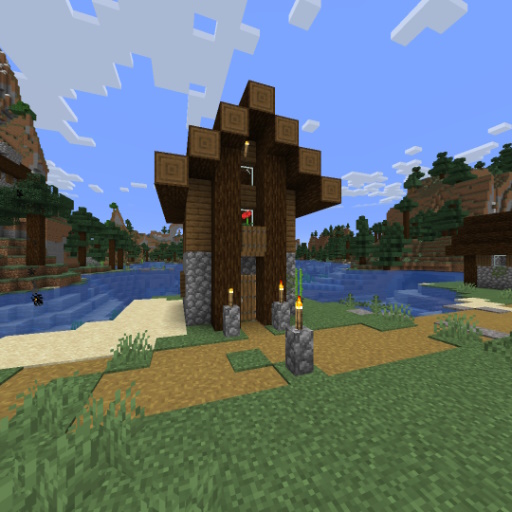
a house in a spruce village, path, torches, grass, blue sky with clouds, lake in the background
Here's a video showing how a cow morphs from realistic to minecraft-like with the LoRA between weights 0 to 1:
Here are the observations from training multiple times:
Having a lot of images for the model to learn a variety of things about Minecraft.
This is especially true for the a LoRA like Minecraft which is far from the original model.
For example, if there's only one image with a pig and the image is labeled 'pig', it might learn that the whole image is a pig, including the grass, sky etc.. so having multiple images for the same thing is also important.Having well-labeled images for the model to understand what it's looking at.
Since Minecraft things are very different from real life, this is crucial.Labeling the images without specifying the fact that it's minecraft.
I have used a couple tools to generate labels for the images, but it would often specify that it's Minecraft. This doesn't work well for the model, as I wanted to get the minecraft style by simply activating the Minecraft LoRA, without having to specify that it's Minecraft. As such, I labeled the images as if they were real life, which worked well for the output.Having a good base model with a lot of variety in the images it can generate.
This is important to have a good variety of Minecraft-like images.Training for the right amount of time.
Training for too long can lead to broken images, and the same happens if the model is not trained enough. Saving multiple checkpoints is important.
The way I could improve this model is by training it on more images, and testing more parameters and epochs. Sometimes less training time gets better results.
This LoRA is the 5th version I trained, and it was trained on 512x512 images for 1h on my GPU.